






21st century technology
Fully supported by Microsoft Certified Professionals

 New Features
 Demo
Demo
 Free Downloads
Free Upgrades
 FAQ
FAQ
Help online
 Testimonials

 Block bookings
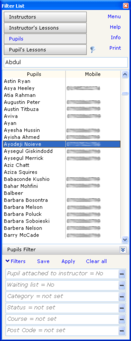
Select a pupil from the list. Double click on available time slot, select 10 lessons on e.g. Monday and Thursday and click Book All
One Click Test
Hold control key and then right click on available time slot.
List of test centres appears, choose test centre, choose starting time and the test fee and pickup time is calculated and booked.
Drag & Drop
Click and hold a pupil from the list then drag onto diary and drop it, a lesson with default values for this pupil will be inserted.
To book for a 2 hour lesson, hold Control before dropping
 Select a pupil from the list
Then select 'One Click Bookings' from the main menu
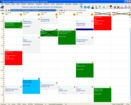
Now you can place a booking for the selected pupil anywhere you want just by double clicking on any available time slot.
Click cancel to exit One Click Bookings Mode.
 Tap a day on a calendar and click new
Initially, the default duration and charge is inserted
Select a pupil from the pupils list
Select a Course and Subject from the list and tap OK


