






21st century technology
Fully supported by Microsoft Certified Professionals

 New Features
 Demo
Demo
 Free Downloads
Free Upgrades
 FAQ
FAQ
Help online
 Testimonials

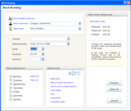
You can preview the list of calculated dates before booking which allows you to discuss timings with the pupil before confirming.
Another way to do it it is to pickup a pupil from the list and drop the lessons randomly to any time slot.
You do not need to type fees and duration every time you book a lesson. All new bookings take these values from the default settings. But you can still edit any value at any time.
All lessons are cross-referenced with the payments that you manage in the Invoices dialog box So, if you book a lesson the debit will be made automatically providing you issued an invoice beforehand.


